GLYPH · Back to workWork Start a projectStart
AI music studio · 2026

FREQ —

Type a feeling.Get a multitrack.

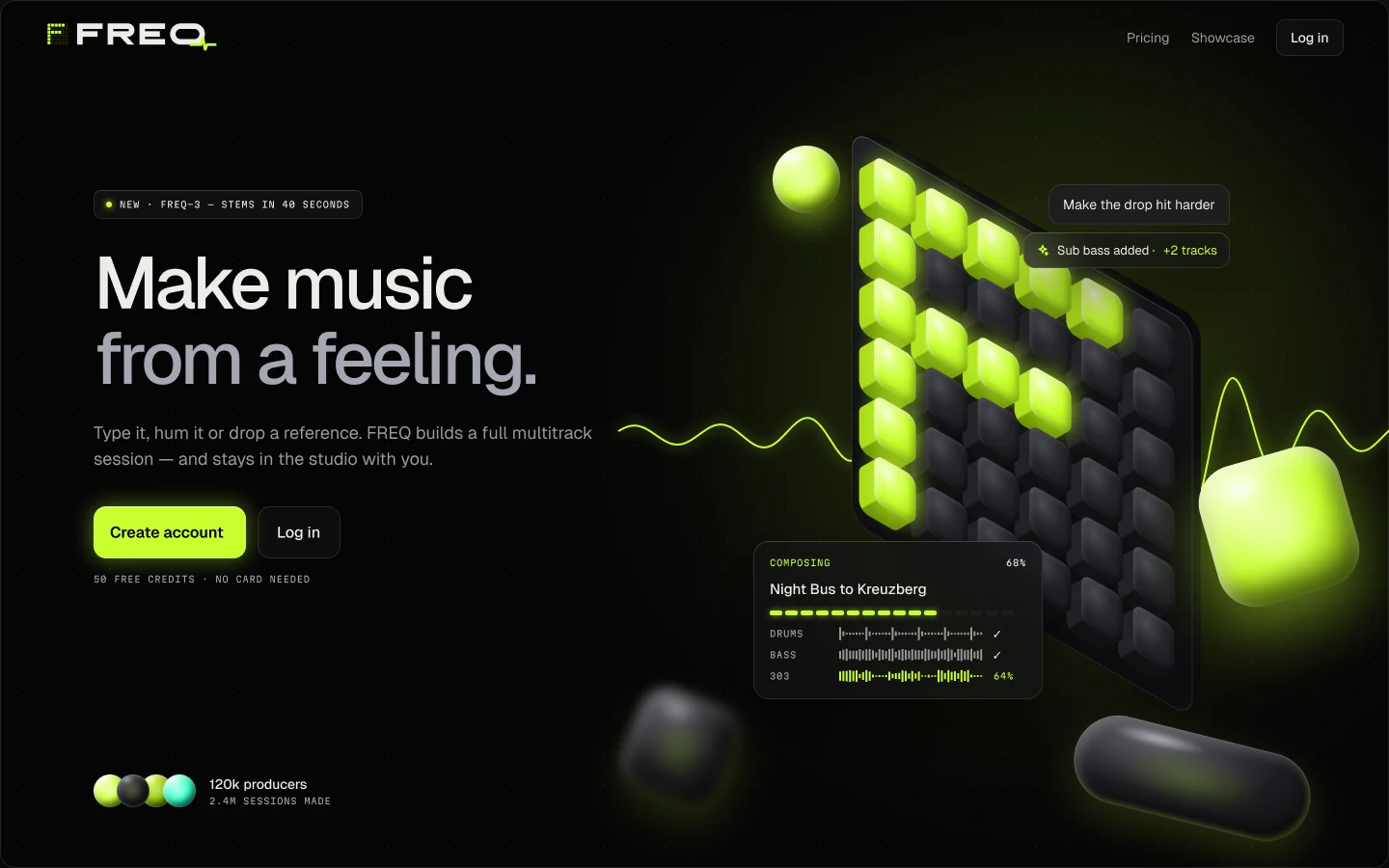
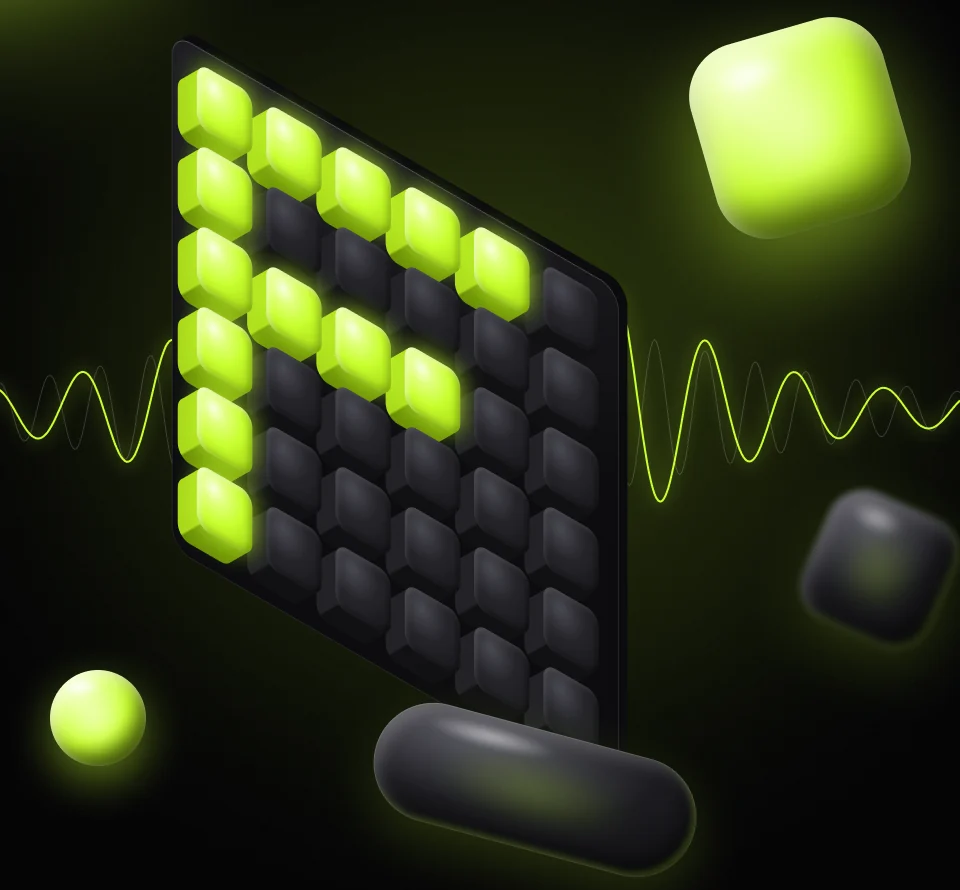
FREQ's key visual: a tilted panel of glossy 3D keys with the letter F lit in acid green, a sound wave passing through it.
Brand · UI/UX · Motion · Desktop & mobilePrompt → Multitrack · 128.00 BPM · F min · 4/4
Product film · sound on

Twelve seconds. From a hum to a hit.

A music product should be shown with music. This is the interface itself in motion: a hummed idea, a growing session, a drop that lands, every control on a floating stage.

01 · Overview

AI can write a song in seconds. Producers still can’t work with it.

FREQ is an AI music studio that treats generation as the start of a session, not the end. One prompt, typed, hummed or dropped in as a reference, becomes a multitrack project you can arrange by feeling, edit by talking and export as real stems.

  • 01Problem

    Today’s generators return a finished stereo file. If one part is wrong you re-roll everything, and the idea you liked is gone.

  • 02Insight

    Producers don’t want a jukebox. They want a collaborator that hands over parts, explains its changes and never locks them out.

  • 03Solution

    Chat to create, an energy arc to shape, a copilot that edits stems. Every result exports as master, stems and MIDI.

  • 15screens across desktop and mobile
  • 1accent colour, used only for AI and live states
  • 43D materials built from one system
  • Role · Product design
    Scope · Brand, UI/UX, motion
02 · Your idea

It starts with a feeling. Then you give it a shape. A hum becomes a hook. The hook becomes your track.

  • Hum an ideaA melody is enough to begin.
  • Shape the energyChoose where the track builds and releases.
  • Keep your changesListen, compare and accept the right part.
03 · Brand

A wordmark with a pulse.

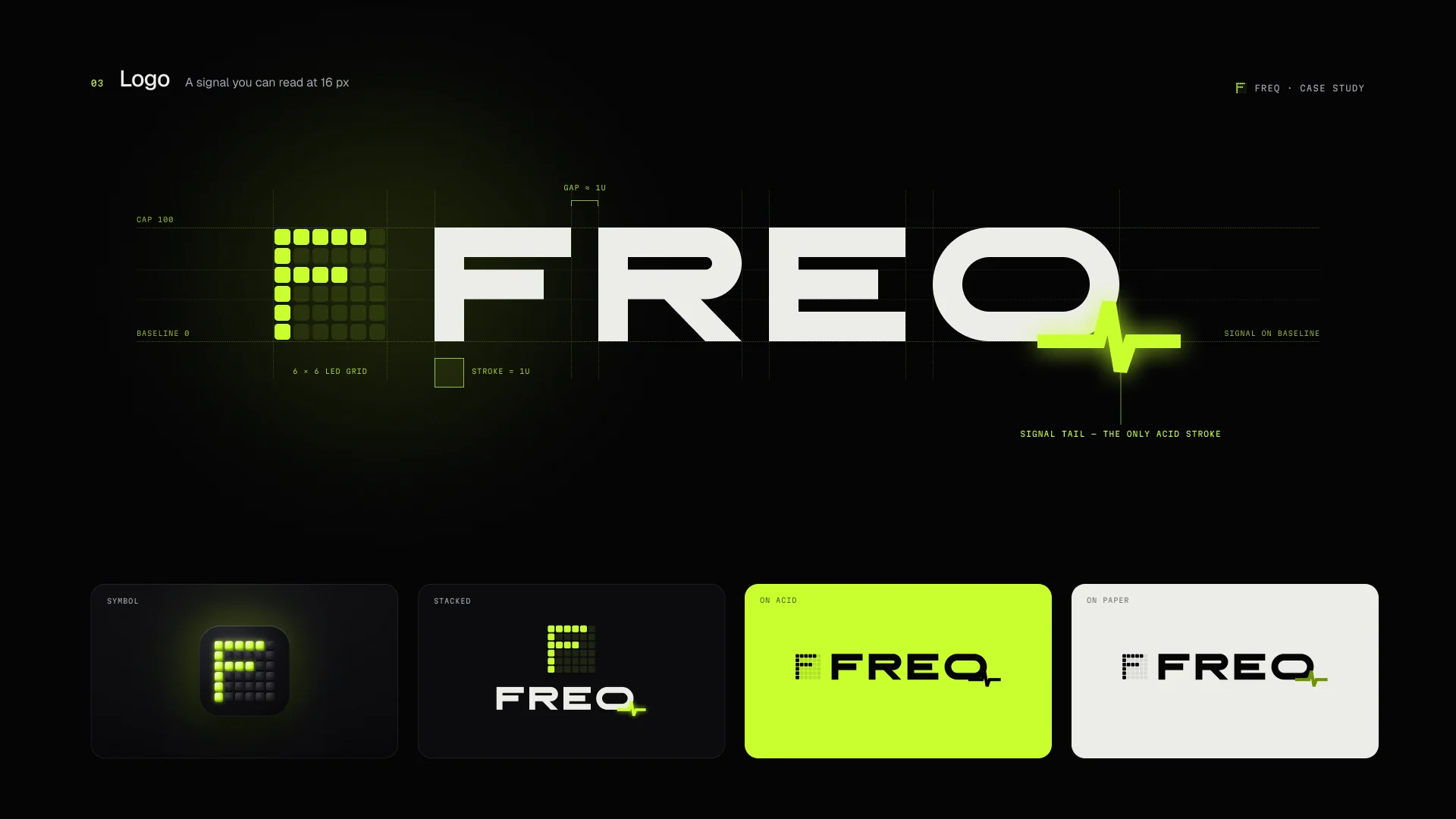
Wide, engineered letters and one live signal: the Q’s tail is a heartbeat. The F alone becomes the app icon, lit key by key on a 3D pad.

The FREQ logo sheet: the wordmark with its acid heartbeat tail, the pixel F icon, and the lockup on dark, acid and light backgrounds.
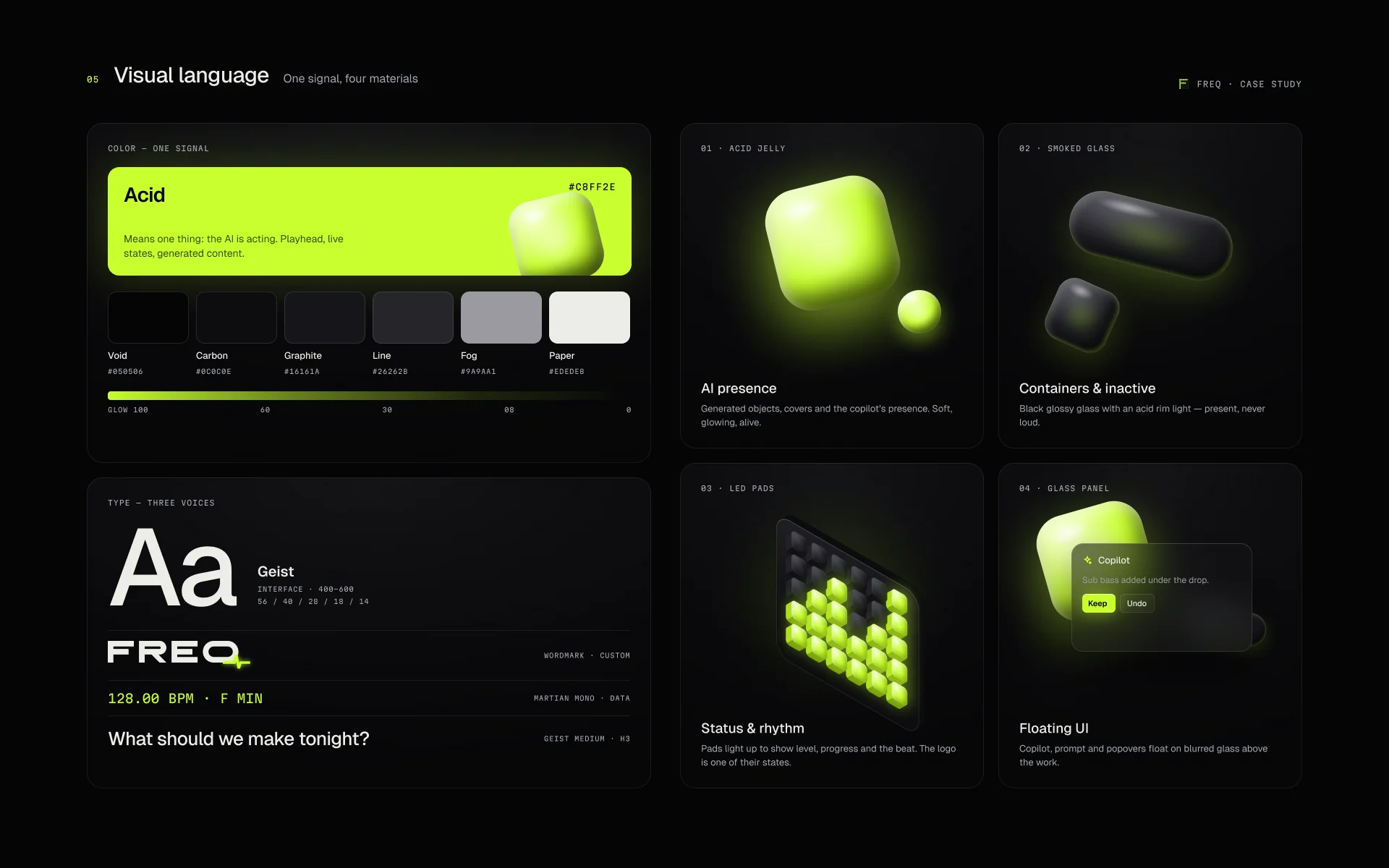
FREQ visual language: acid and smoked-glass swatches, Geist type specimen, 3D materials and the waveform motif.
  • Acid means alive.The accent appears only where AI is working or something is playing. Everywhere else, smoked glass.
  • Four materials.Acid jelly, smoked glass, chrome and soft matte, all from one 3D system, so a cover can say how the track feels.
  • Readable by default.Secondary text was lifted in contrast and the background glow toned down before anything else got louder.
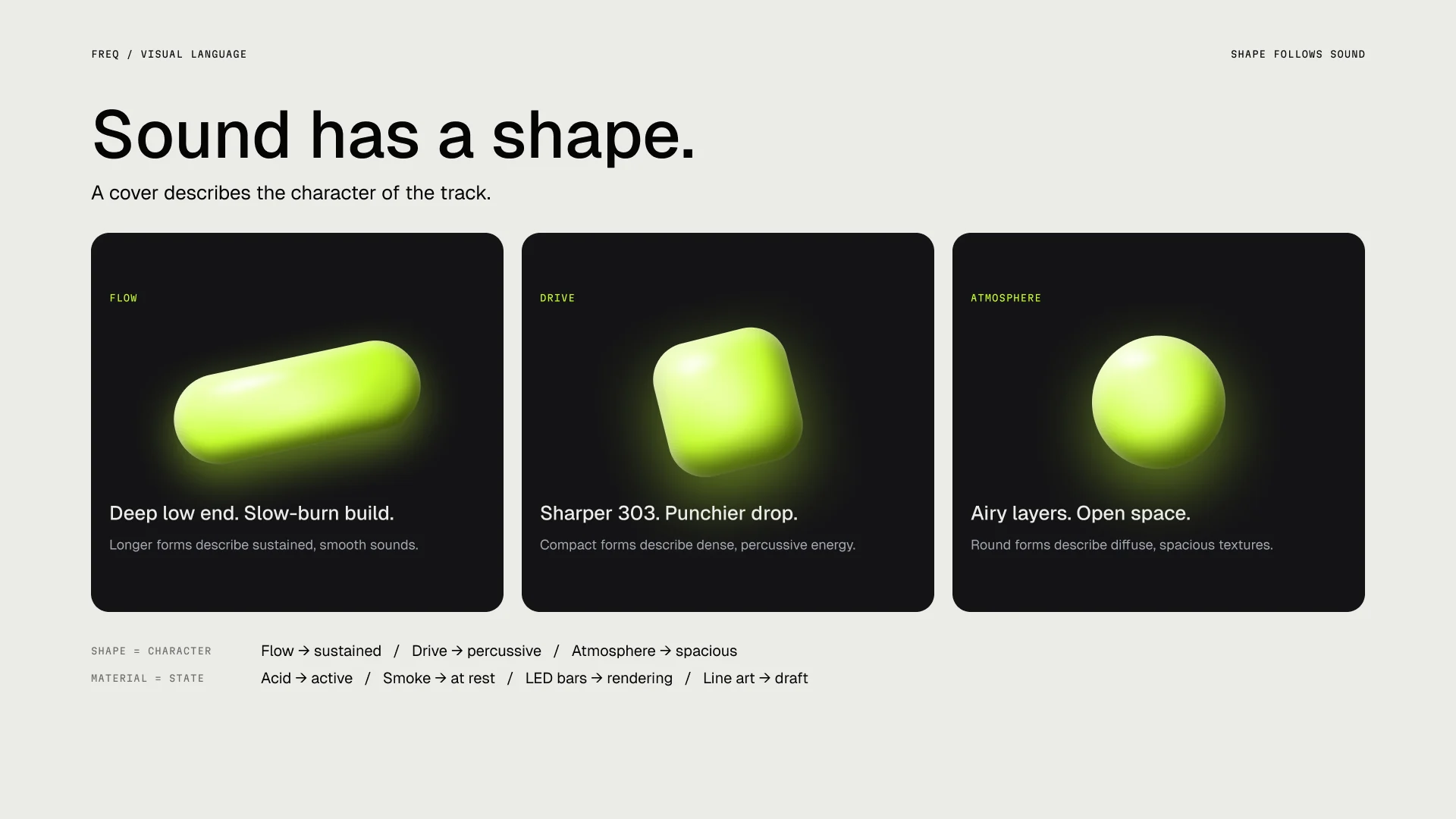
Sound has a shape: three generative covers, a slow pill for Flow, a sharp cube for Drive and a soft sphere for Atmosphere.
04 · Product

From a hum to a finished track.

Twelve screens, one rule: the product is the hero. Every step shows the music being made instead of describing it.

  • Welcome screen: Make music from a feeling, with the lit F key panel and a generating card.

    S01Welcome

    The first screen says what FREQ does in six words, and shows it working.

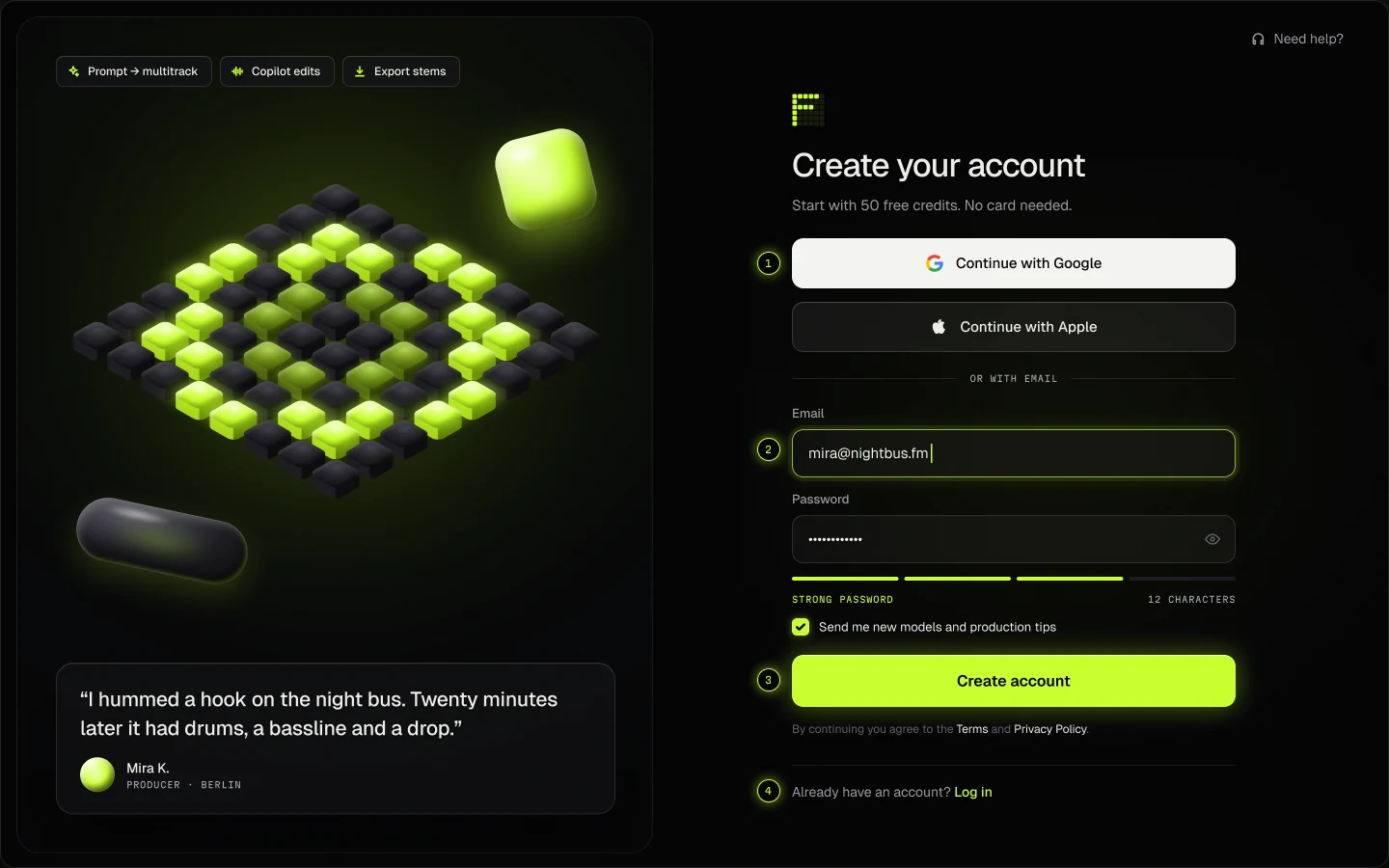
  • Sign-up screen with Google and Apple first and an LED password strength meter.

    S02Sign up

    Google and Apple first. Acid is used once: the button that moves you forward.

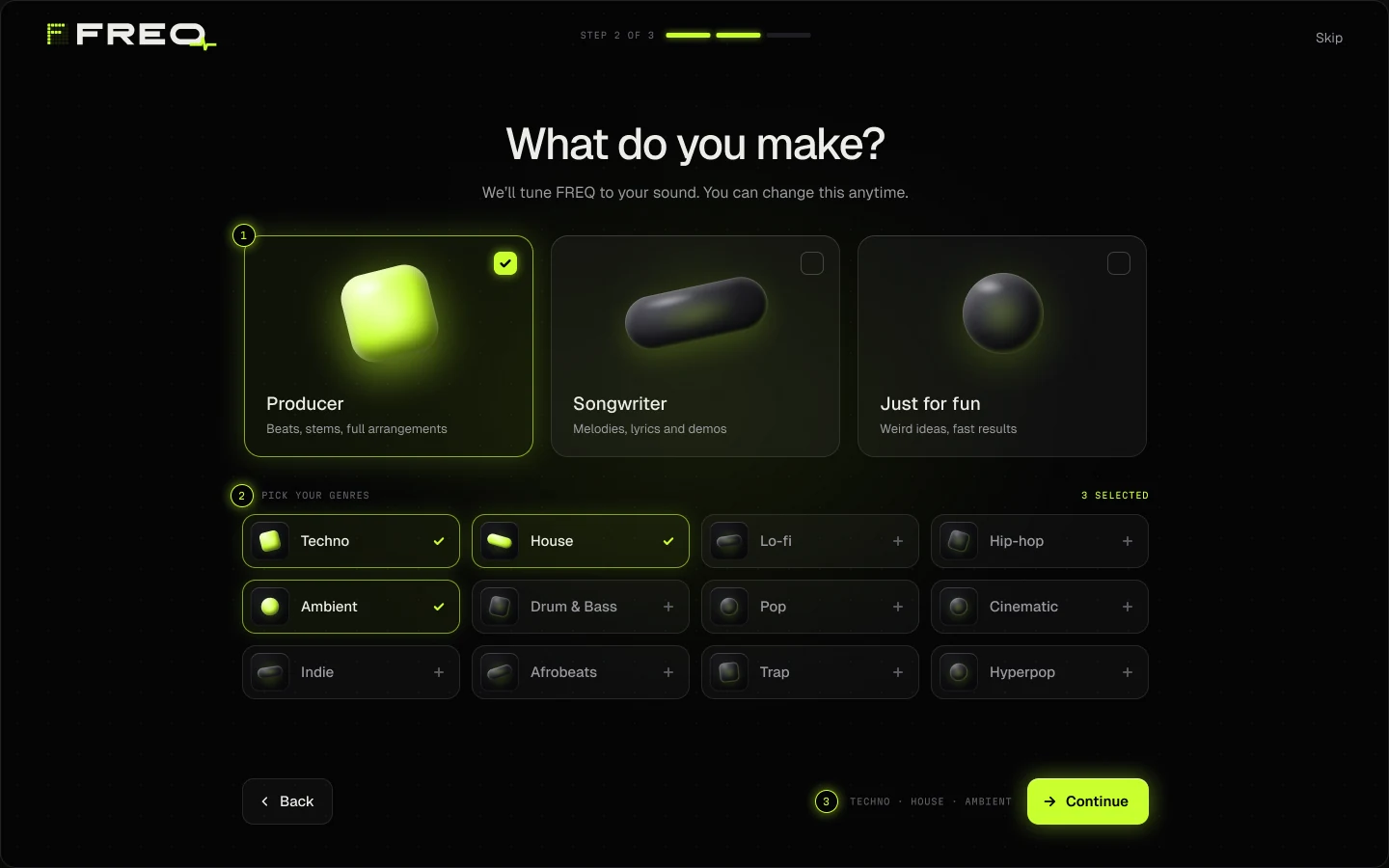
  • Onboarding: choose a role, then genres with their own generative covers.

    S03Onboarding

    Three honest choices tune the defaults. Always skippable.

S04

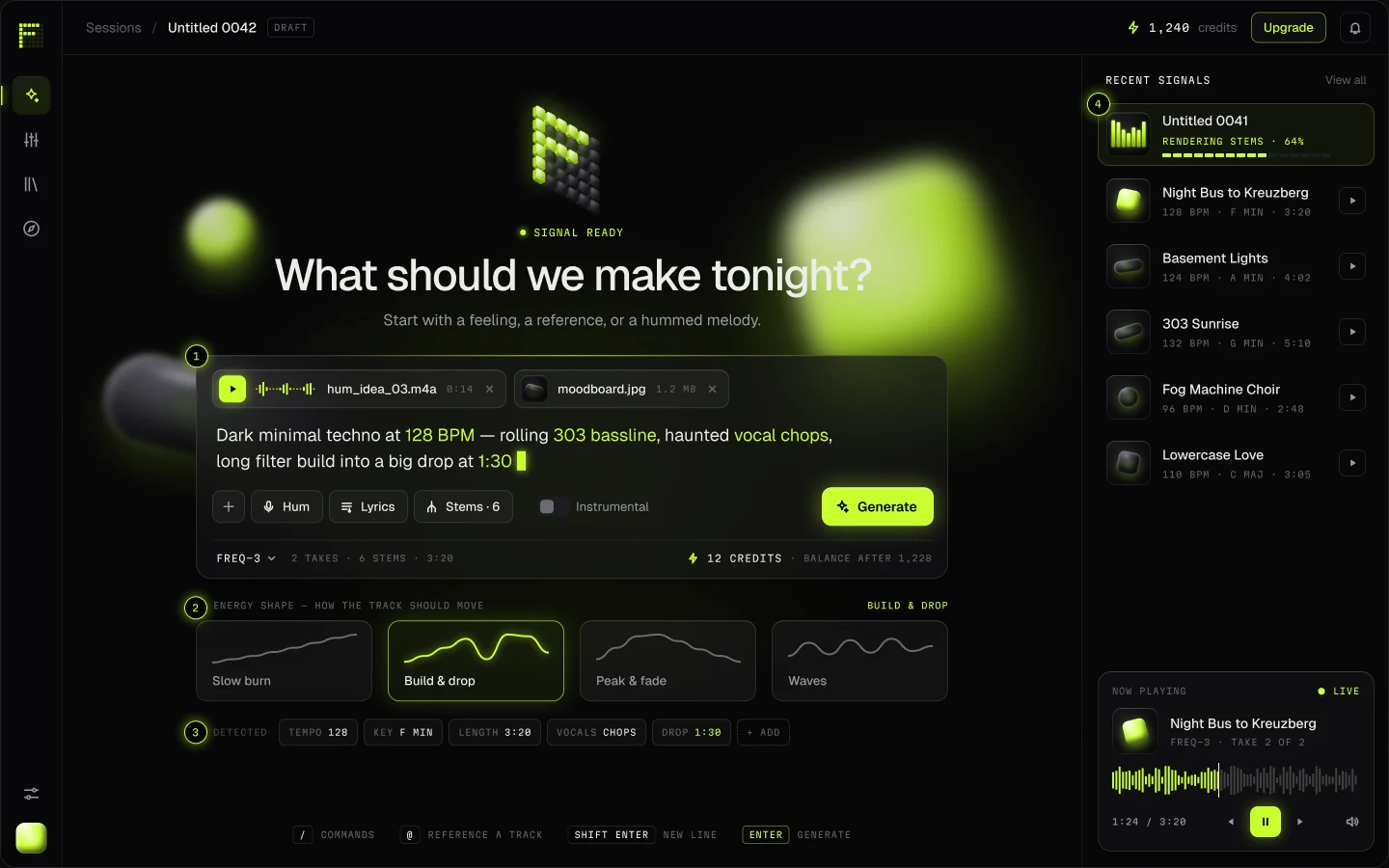
Create

Prompt → multitrack session
The Create screen: one glass console for typing, humming or dropping a moodboard, with an energy shape picker and parsed parameters.
  1. Multimodal inputHum it, drop a moodboard or just type. Everything lands in one glass console.
  2. Energy shapePick how the track should move before it exists: slow burn, build & drop, waves.
  3. Parsed parametersFREQ shows what it understood, and every token is editable.
  4. Stems stream inGenerations render as stems, so the session opens early.
S05–S06

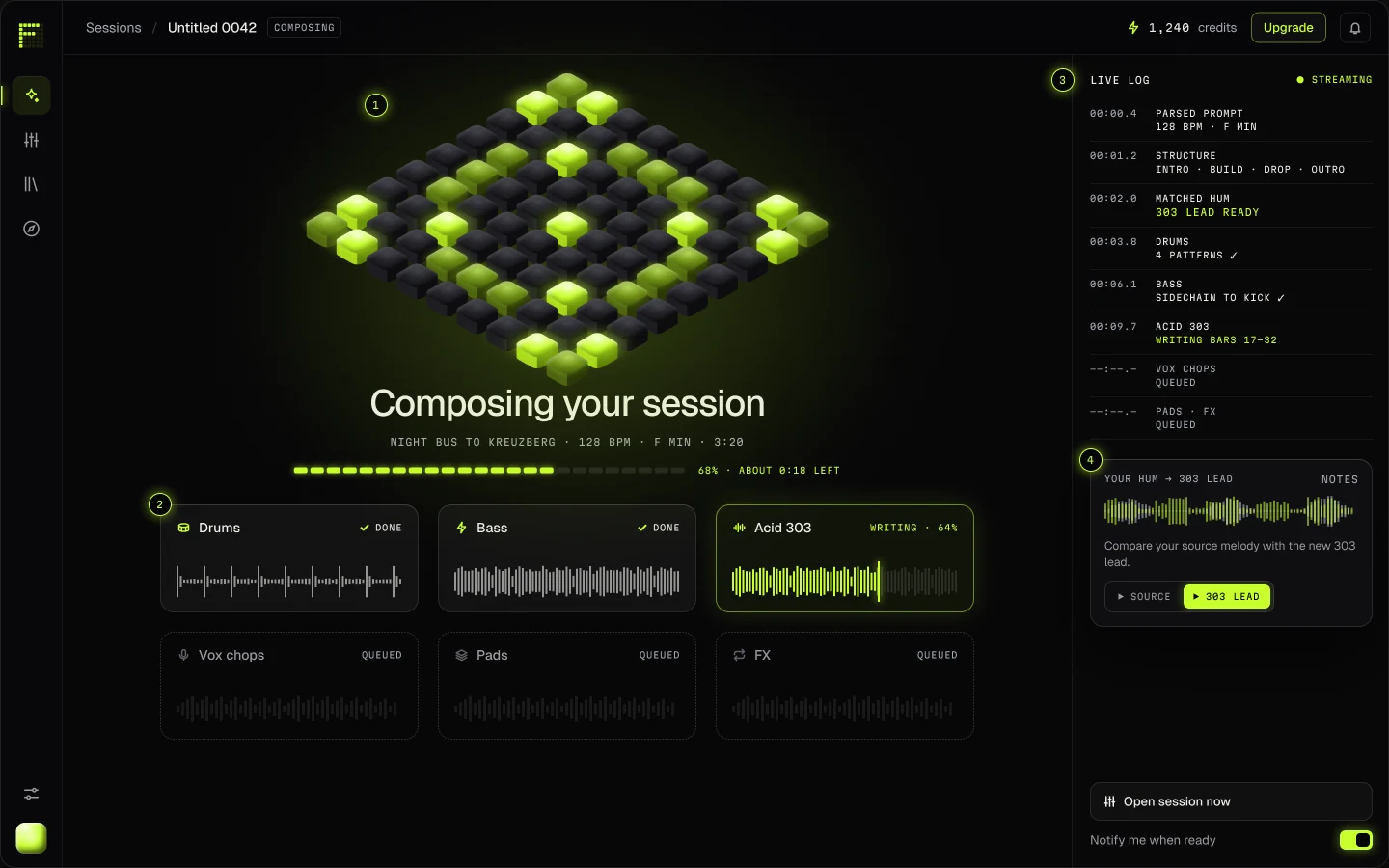
Generating & Takes

Watch it being built, then choose
Generating: the LED matrix pulses while finished stems become playable and a live log lists each decision.
  1. Nothing hiddenA live log shows each decision: tempo, structure, sidechain. Your hum is matched note for note.
  2. Takes, not a slot machineEvery prompt returns options with their energy shape, ready to compare in sync.
  3. Edit by talking“Darker intro, 8 bars longer.” FREQ rewrites only what you asked for.
05 · Shape the drop

You can feel the drop. Now you can shape it.

Pull the energy arc up and FREQ rebuilds the parts underneath. The copilot lists every change, and nothing lands until you keep it.

  1. Shape it by feelingThe energy arc sits on top of the timeline. Pull the drop up and the parts follow.
  2. Edits you can readThe copilot lists every change and lets you keep, undo or A/B it.
  3. AI parts stay markedGenerated tracks are dashed and tagged until you accept them.
  4. A real mixerGlass faders, LED meters and a master bus. Export is one click away.
S08

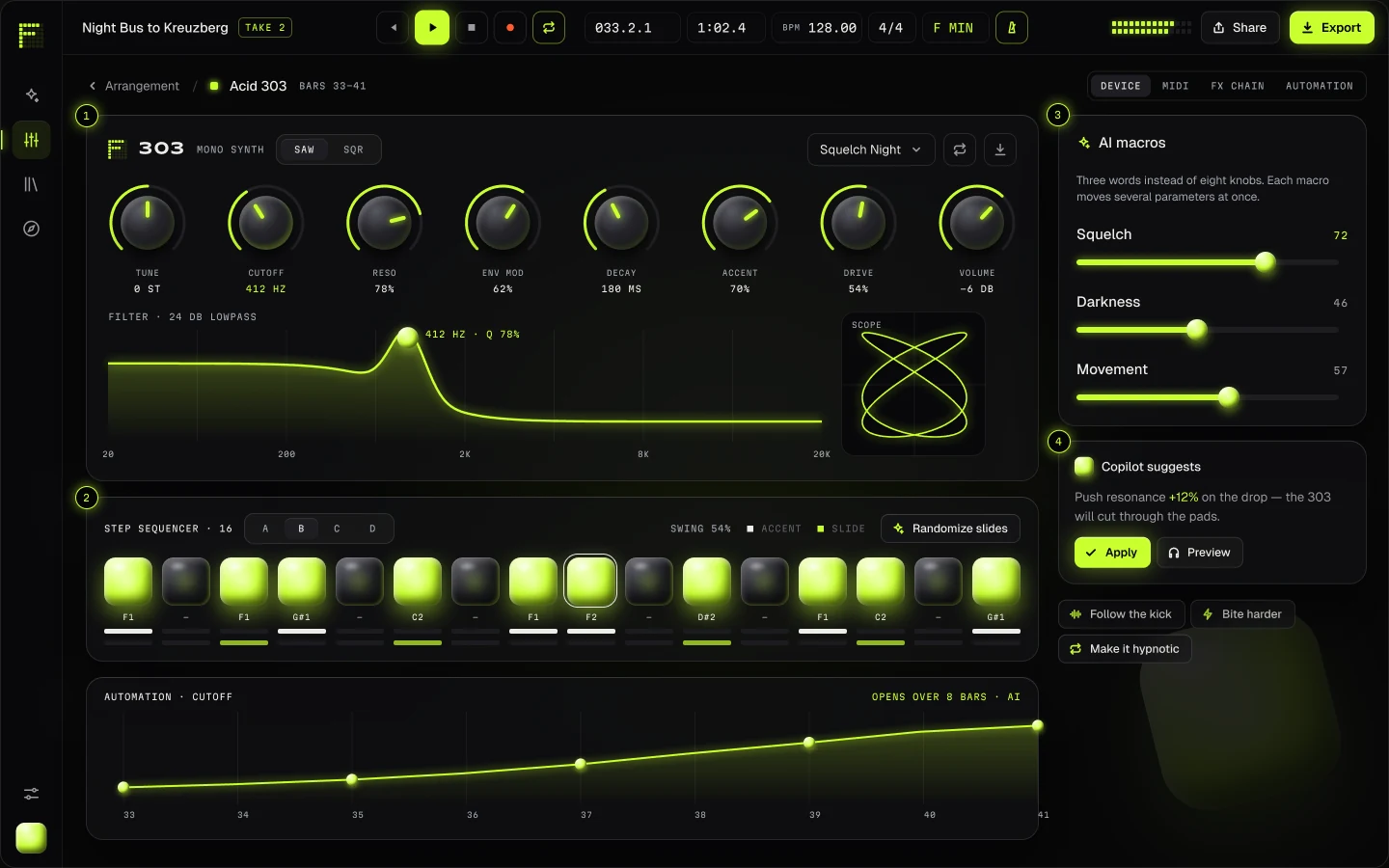
Device

Every stem stays editable
The 303 device: glossy 3D knobs with acid arcs, a step sequencer of lit jelly pads and plain-word macros.
  1. Hardware you can touchGlossy 3D knobs with acid arcs: the 303 feels like an instrument, not a form.
  2. Steps as padsLit steps are acid jelly, rests are smoked glass, and the playhead rings in white.
  3. Macros in plain wordsSquelch, Darkness, Movement: one slider moves many parameters.
  4. A second pair of earsThe copilot suggests a tweak, and you preview it before applying.
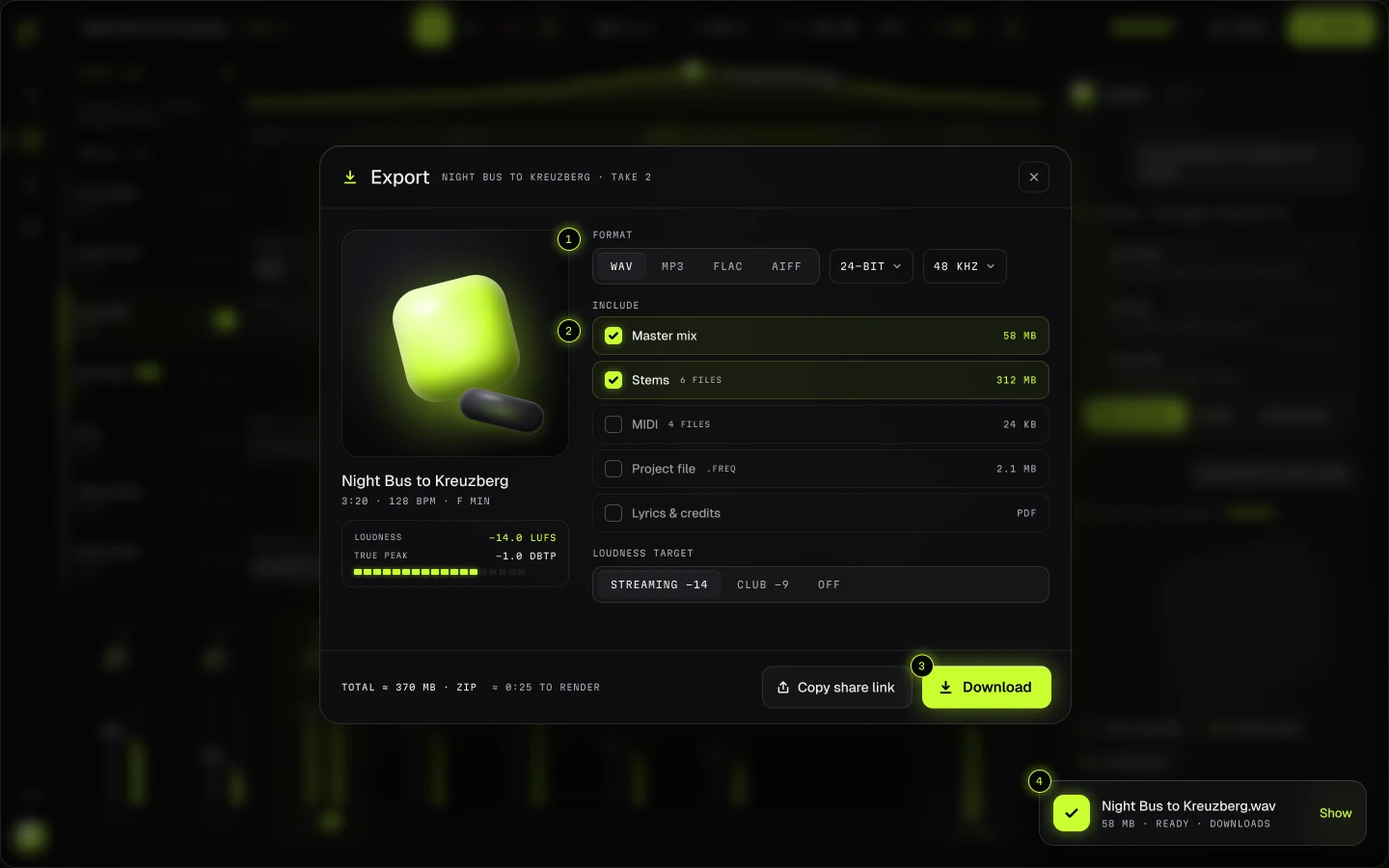
  • Export: format, bit depth and what to take, with loudness targets in LUFS.

    S09Export

    Master, stems, MIDI or the whole project, with loudness targets for streaming or club.

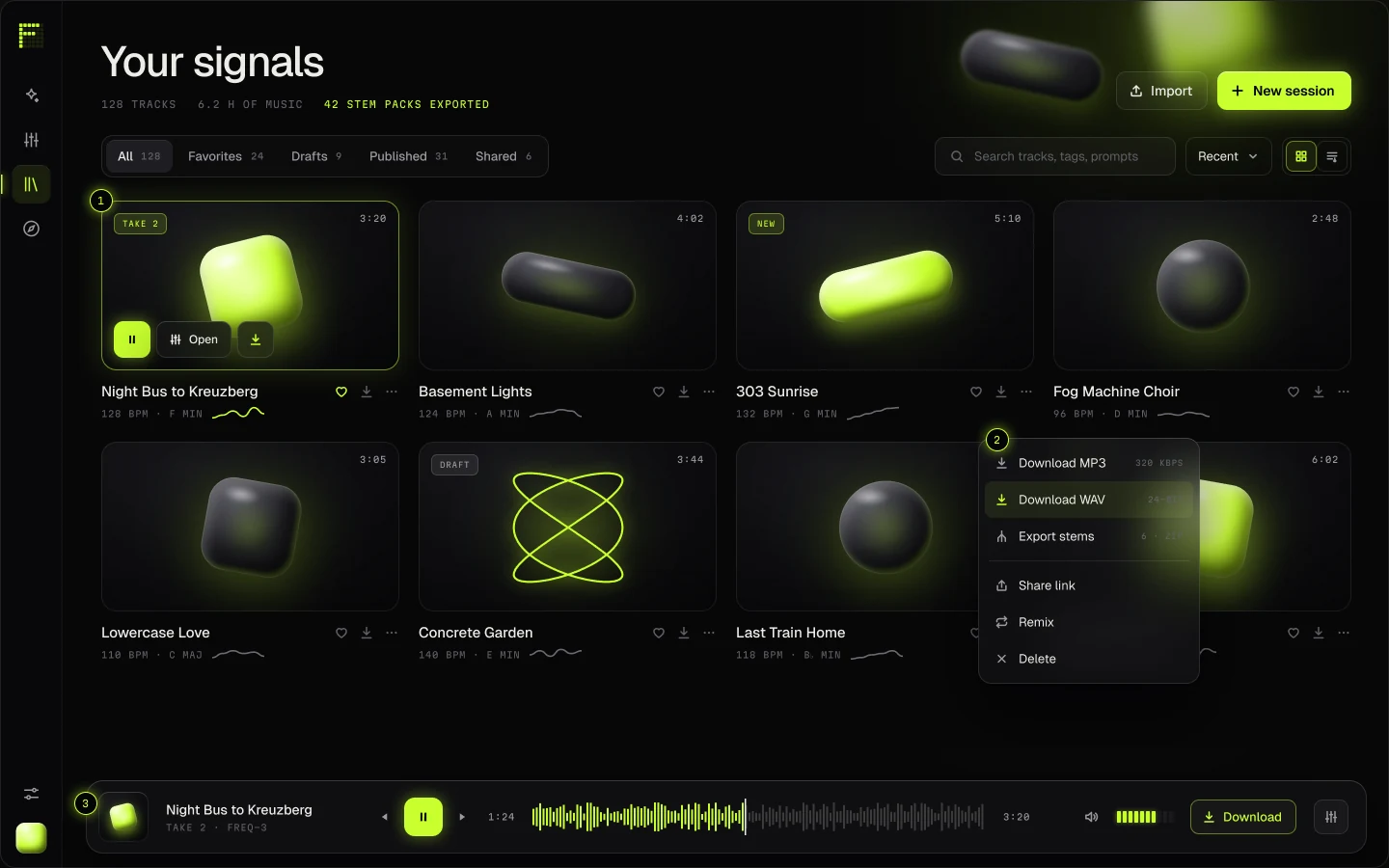
  • Library: tracks with generative covers and a glass player bar.

    S10Library

    Covers that sound the way they look: acid when active, smoke at rest.

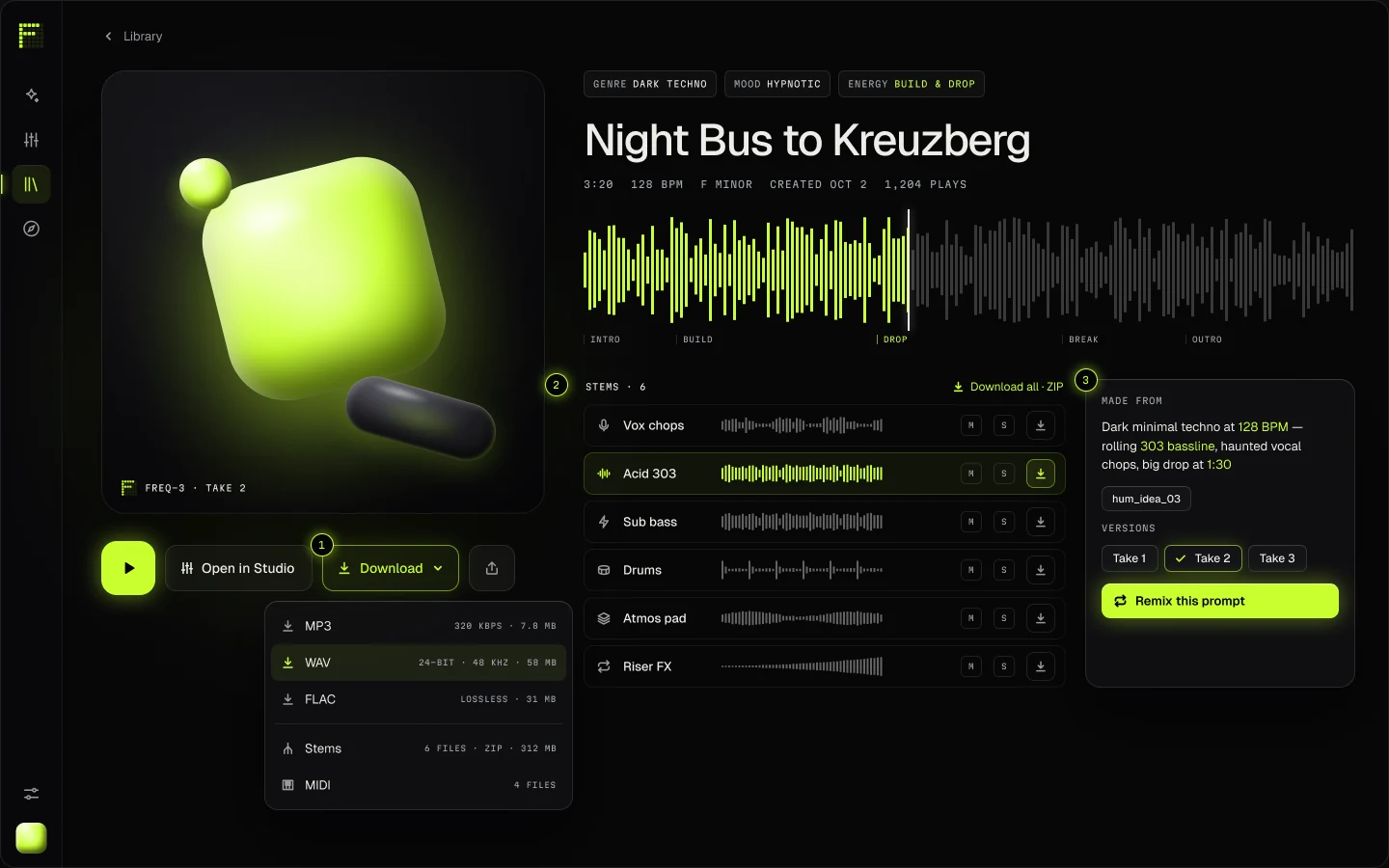
  • Track page: Night Bus to Kreuzberg with its cover, waveform and stem downloads.

    S11Track

    Grab just the 303. The original prompt and every take live with the track.

06 · Mobile

The studio in your pocket.

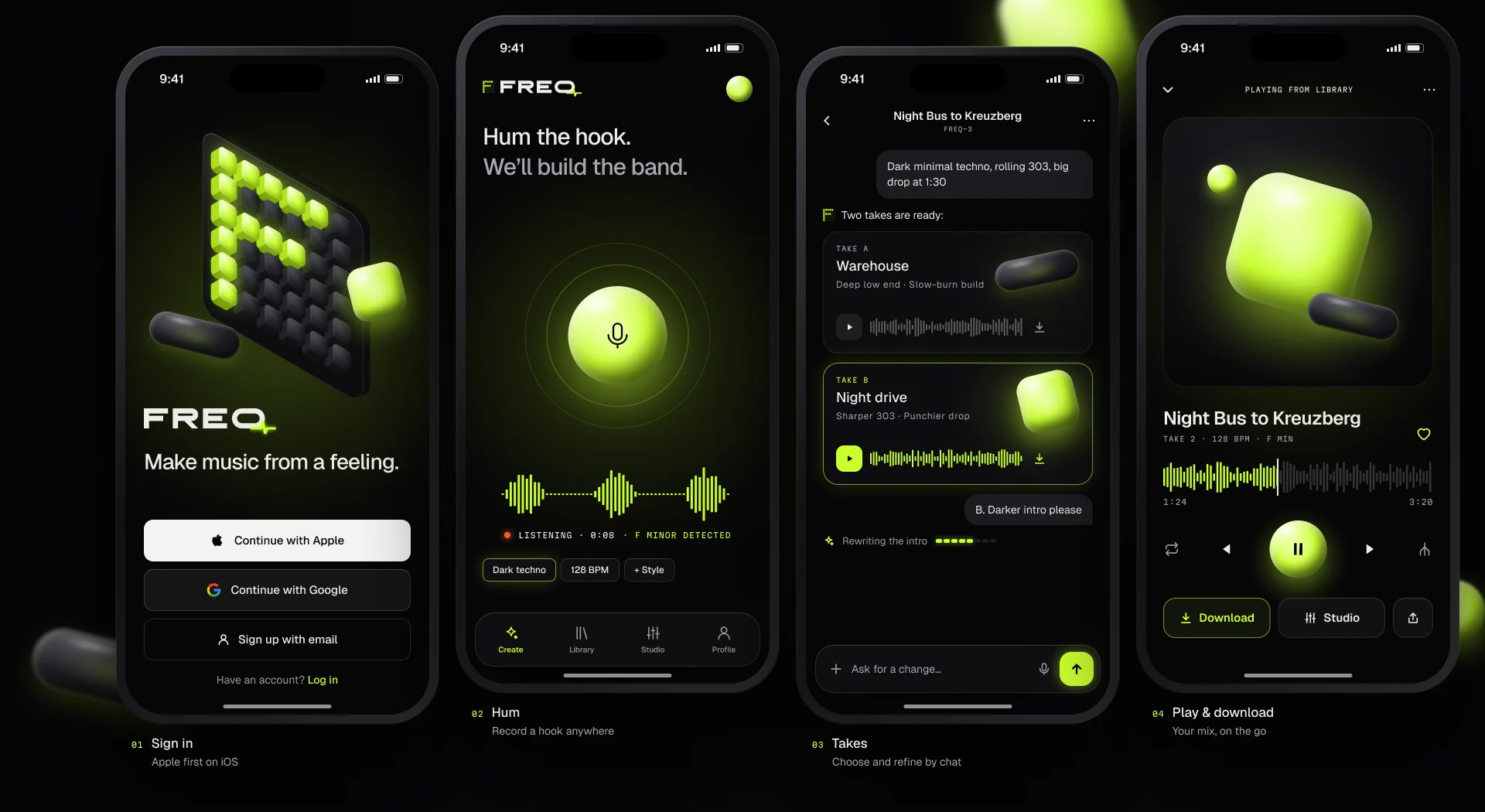
Hum the hook on the bus, choose a take by chat, play it back on the way home. Apple first on iOS.

Four iPhone screens: sign in, hum a hook with a glowing microphone, choose between two takes in chat, and play the finished track.

Make music from a feeling.

Building something people should feel before they understand it? Let’s talk.

Start a project

Your sound. Your rules.

Next project →
KAIRO

AI · Quant fintech · Full Visual System